
They receive the invitation
A branded SMS or email arrives after the service. In-person customers can also open the same experience by tapping or scanning ReviewTap.
ReviewTec gives your team a clear process for asking real customers, guiding their feedback, following up, and tracking what happens next. Here is exactly what the business sees and the customer experiences.
A text, an email, or a simple tap.
Your business. Your branding. No app needed.
Simple, mobile-friendly feedbackThe customer writes their own review on the review site.
Follow requests, clicks, and reviews in your dashboard.
The signup flow prepares the core review process so your team can understand it, test it, and then begin sending with confidence.
Add the business details and create the first location.
Start with Google Business Profile, then add any other supported sites that matter to the business.
Default messages, customer routing, and account settings are ready to inspect and customize.
A clearly labeled setup test exercises the real request pipeline without looking like a real customer request.
This setup entry is intentionally named so it can be recognized immediately in the new dashboard.
The customer never needs a ReviewTec account or app. They receive a familiar message, open a branded page, and follow the experience configured by the business.
A branded SMS or email arrives after the service. In-person customers can also open the same experience by tapping or scanning ReviewTap.
The customer opens a mobile-friendly page and answers a simple experience question before moving to the next step.
The customer continues to Google or another chosen review site. If they report a negative experience, Review Shield immediately notifies your team.
The customer can post a public review or submit private comments. ReviewTec records the activity so the business can follow what happened.
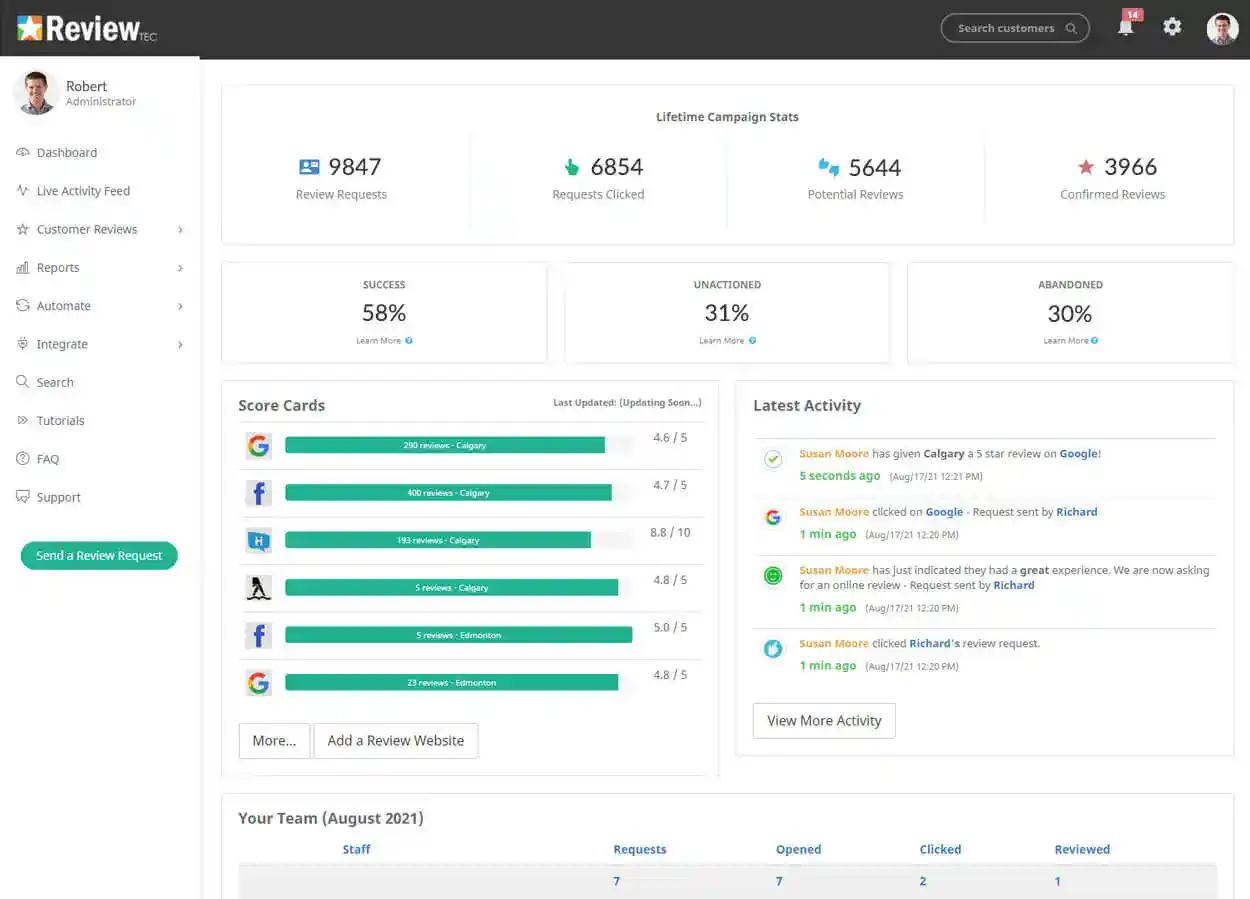
Instead of wondering whether customers received the message or clicked the link, your team can follow the request from the dashboard.
Automation supports the process after the initial request while keeping each customer and every action visible to the business.
If a customer has not opened or responded, ReviewTec can send the configured reminder instead of asking staff to remember.
After a review is confirmed, the business can automatically send a customized email thanking the customer.
Review activity is connected back to requests where possible, giving the business a clearer view of what its follow-up produced.
Live activity, usage reports, team rankings, site statistics, and weekly scorecards keep progress from disappearing into a spreadsheet.
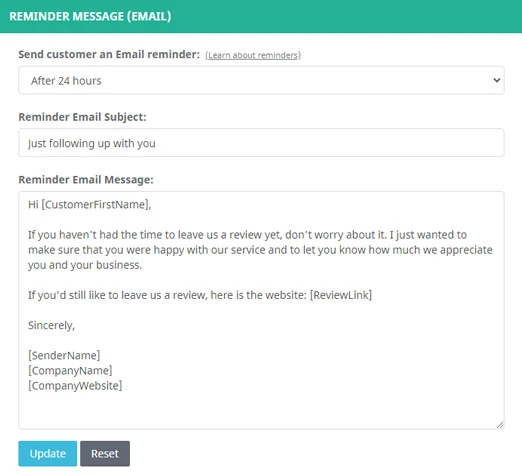
The business decides what customers receive, where they can leave a review, and how staff members use the account.
A small team can start manually after each job. A busier operation can add bulk tools or integrations without replacing the core customer experience.
Enter the customer's name, phone number, or email after the service and send the request while the experience is still fresh.
Add the tools that make sense when request volume, locations, or existing software create a need for more automation.
Some bulk, integration, capacity, and ReviewTap options are separate add-ons or purchases. The pricing page shows exactly what is included in the base plan.
Explore real service businesses that have used ReviewTec to build hundreds and, in some cases, thousands of customer reviews.
The base plan includes the core SMS, email, follow-up, reporting, and review-site tools needed to run a real review process.
Explore the plan and get your review routine started.
Sign Up Free